








Create an endpoint
- 1
Create your endpoint
RequiredOnce you have your insight or SQL query, create an endpoint from it. This will give you a stable API endpoint you can call to retrieve the data.
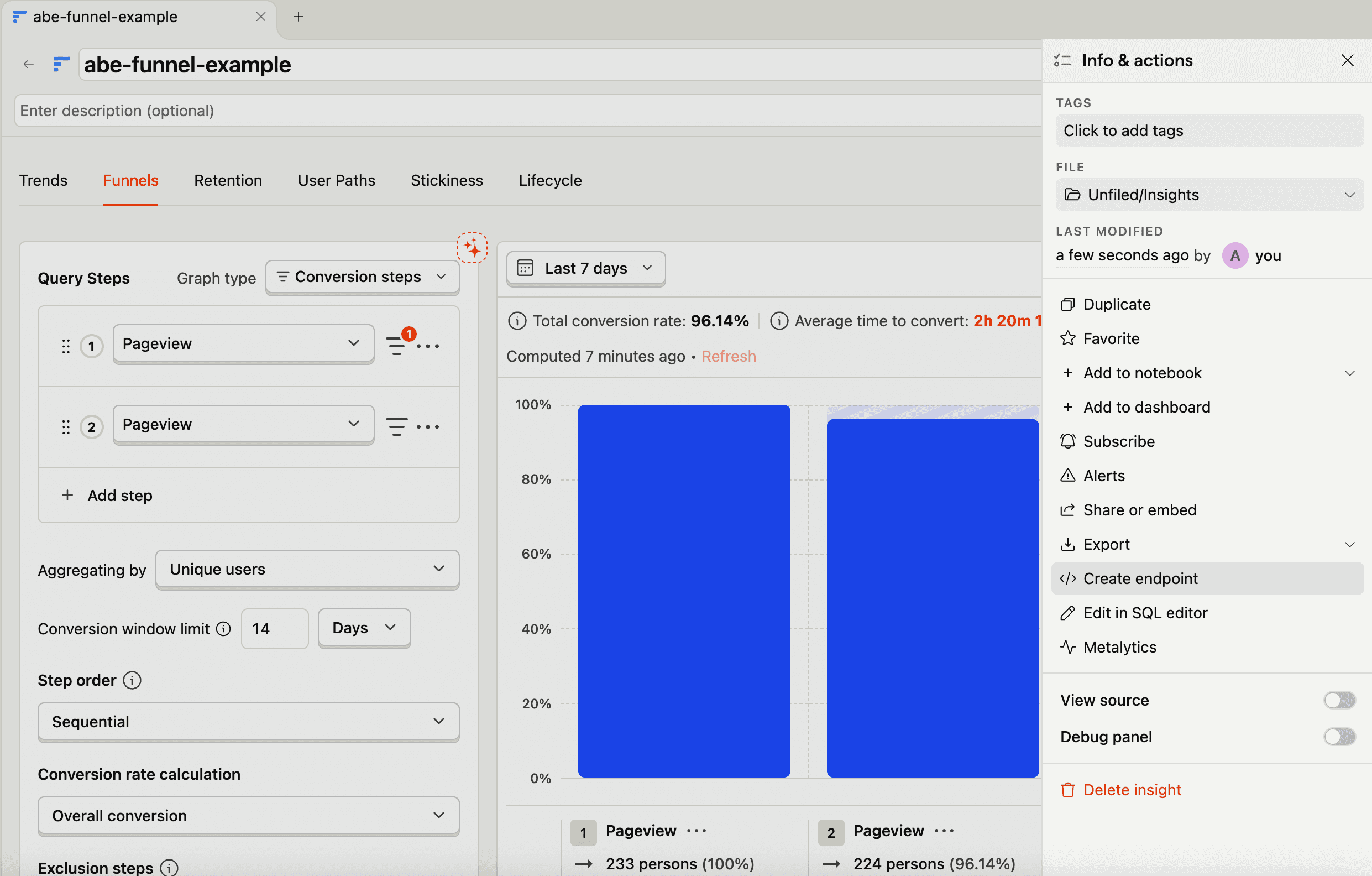
From an existing insight:
- Open your insight
- Click on the info & actions button (the three dots button in the top right)
- Click Create endpoint
From the Endpoints page:
- Go to the Endpoints page and click New endpoint > Insight-based endpoint
- Select an existing insight from the list, or create a new one
Once you've selected your insight:
- Give your endpoint a descriptive name and optionally a description
- Recommended -
daily_active_users,account_users_activity,signup_funnel - Avoid -
endpoint1,test,query
- Create the endpoint
In the SQL editor, click on the Endpoint tab in the output pane:
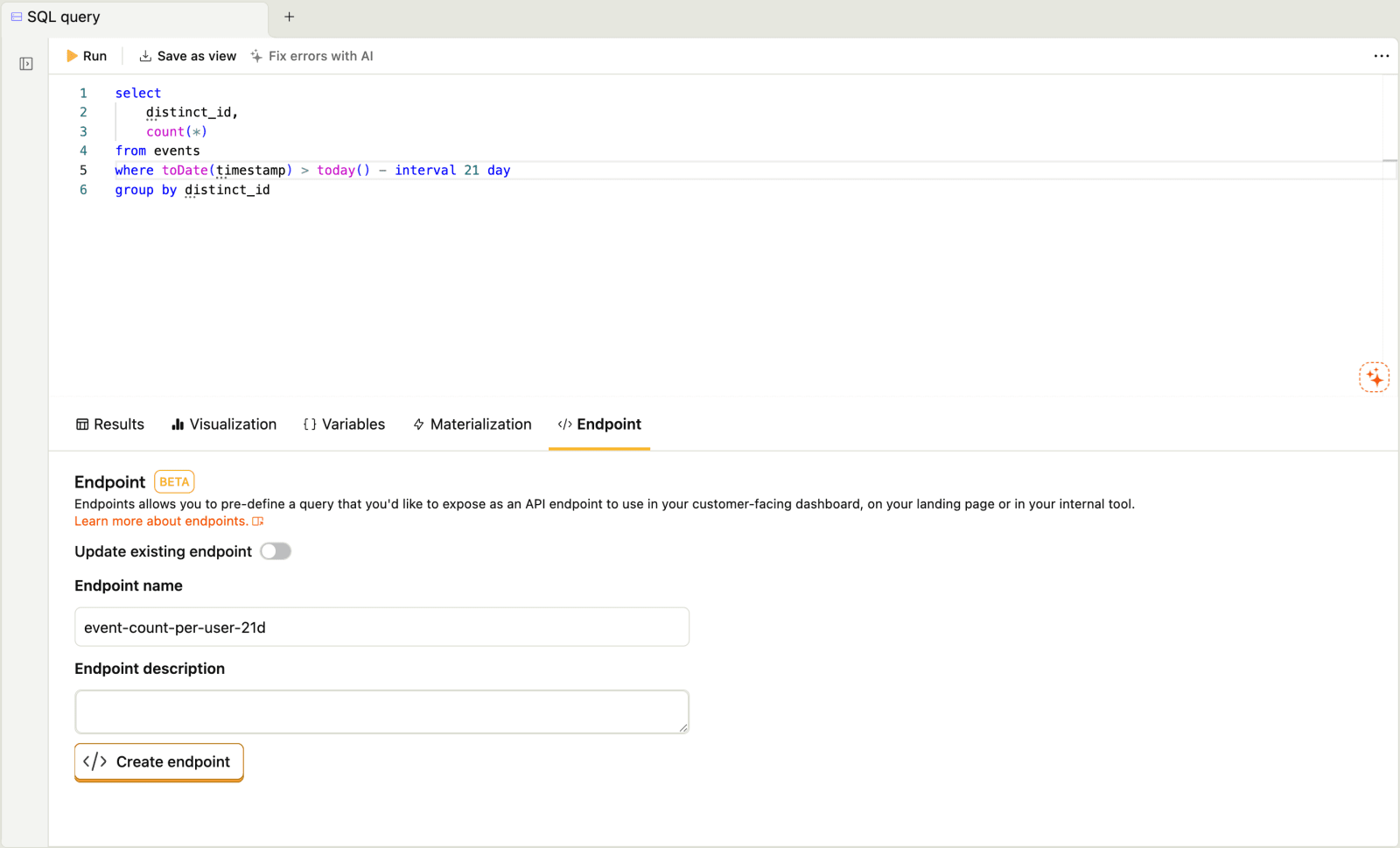

Give your endpoint a descriptive name and optionally a description
- Recommended -
daily_active_users,account_users_activity,signup_funnel - Avoid -
endpoint1,test,query
- Create the endpoint
- 2
Verify endpoint data
RecommendedBefore integrating your endpoint into your application, use the Playground tab to verify it returns the expected data.
Open your endpoint from the Endpoints page
Click the Playground tab
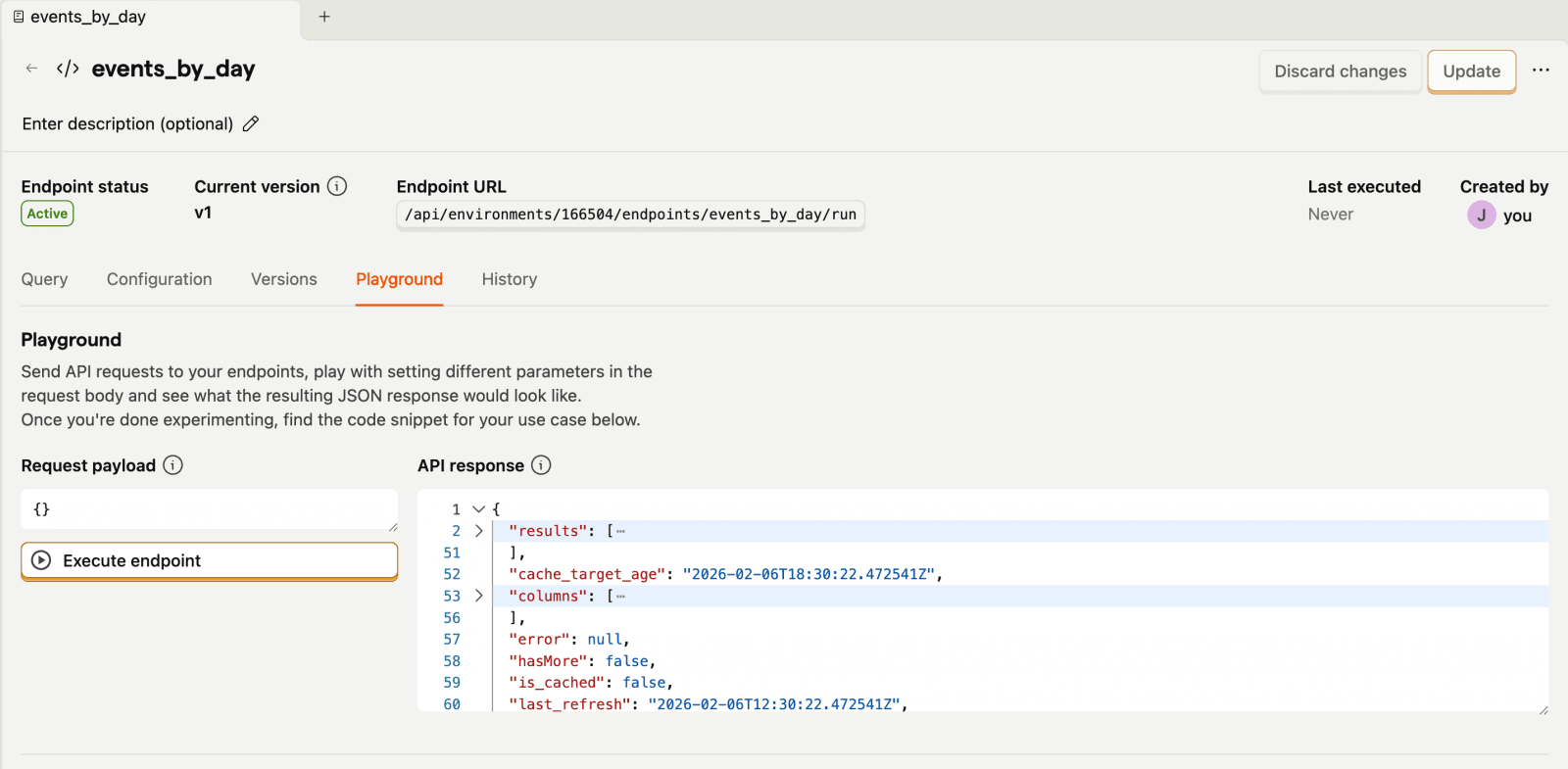

If your endpoint has variables, enter test values
Click Execute endpoint to retrieve the data
Review the results to understand the response structure
- 3