








How to use the content writer agent
Contents
We built an agent that automatically drafts docs PRs in posthog.com when your code changes are merged into the posthog monorepo.
The content writer agent leverages the Inkeep platform to index and reference the PostHog website, codebase, and our docs style guide, so its drafts are usually a solid starting point — but they still need your review for technical accuracy.
Who owns what
Product engineers own the docs for their products. When the agent opens a docs PR based on your merged code, you're responsible for reviewing it for technical accuracy, iterating on it until it's right, and merging it. You don't need docs team sign-off — treat it like any other PR for your product.
The


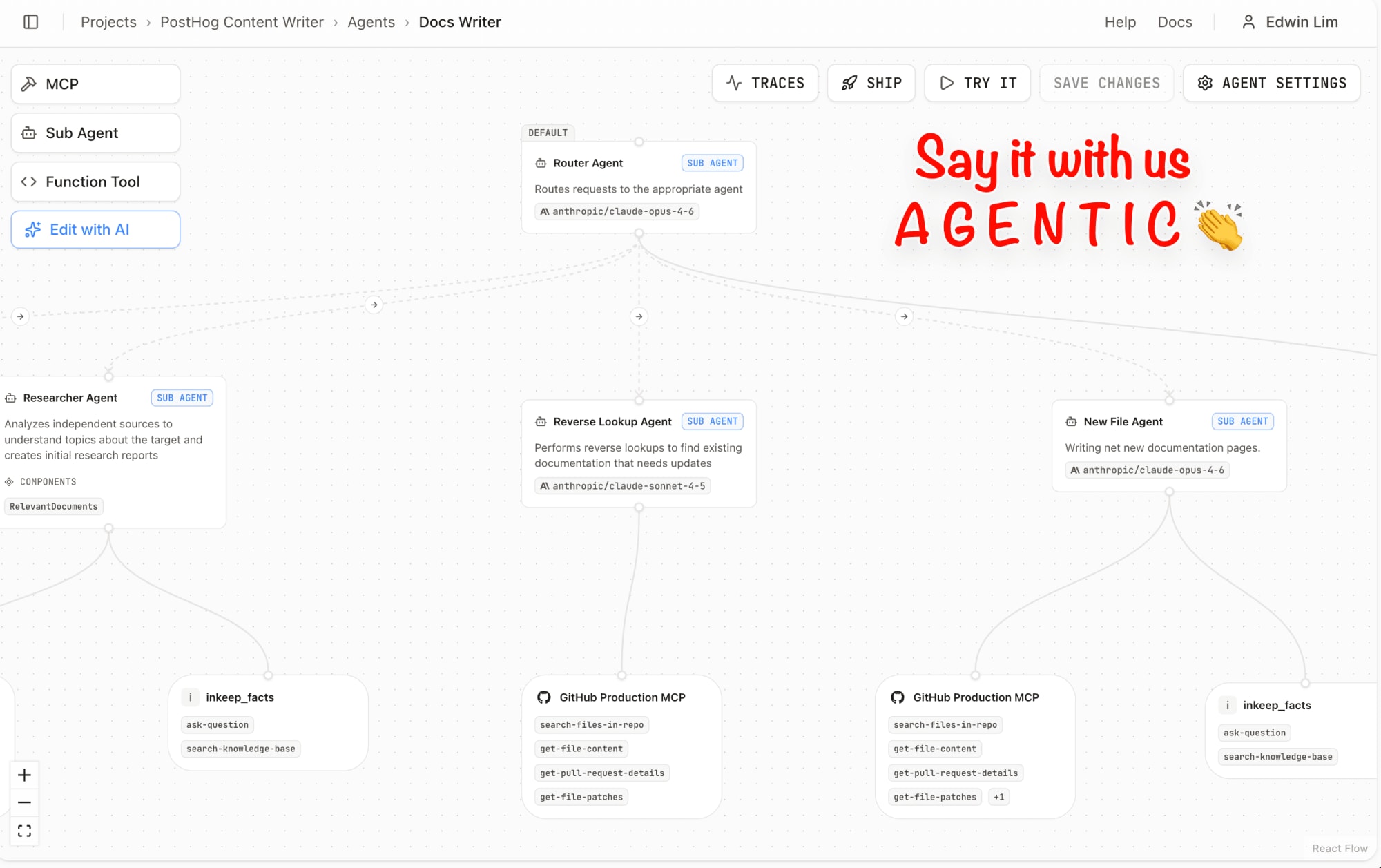
The workflow
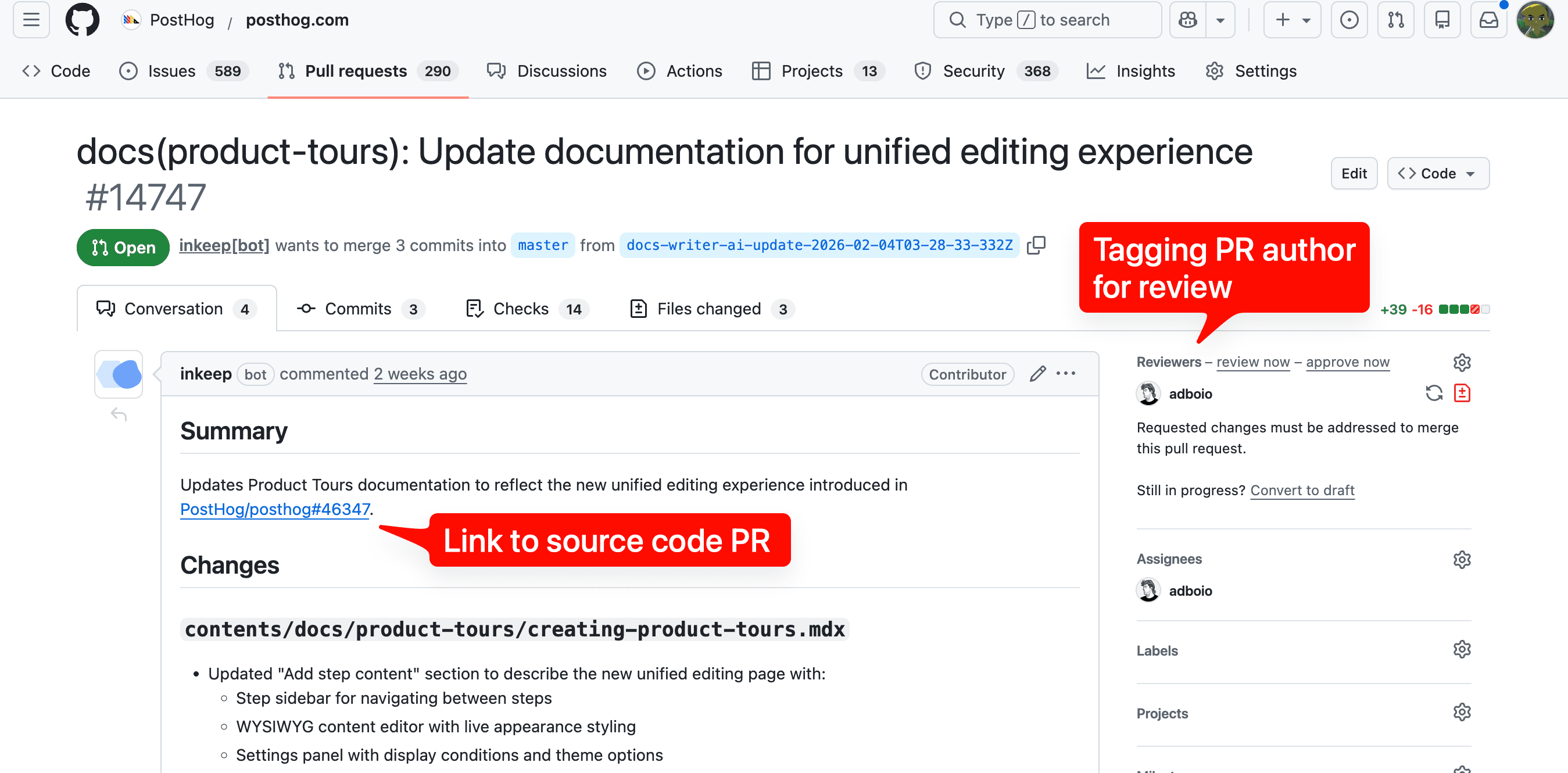
When you merge a PR in the posthog monorepo, the Inkeep bot automatically opens a docs PR on posthog.com and tags you as a reviewer. From there:
- Review the draft for technical accuracy, completeness, code examples, and links.
- Iterate until the docs are correct. See how to make changes.
- (Optional) Loop in the docs team if you want a second opinion on style, structure, or information architecture — tag
@team-docs-wizardas reviewers. - Approve and merge when the docs are ready.
If you tagged @inkeep or made changes to the PR, a feedback form is posted after merge. This helps us understand where the agent fell short — please fill it out so we can continue improving the agent.
How to make changes
You can iterate on an Inkeep docs PR in a few ways:
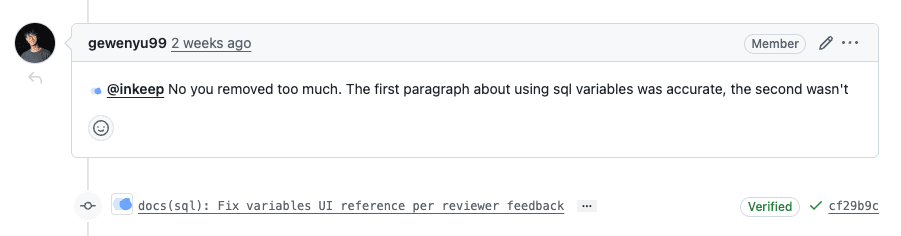
- Tag
@inkeepin a PR comment to ask the agent to make specific changes. Describe what you need and Inkeep will push updated commits. - Edit the files yourself — either by pulling the branch locally or directly on GitHub. This bypasses the AI loop entirely and is often faster when you know exact changes you want to make.
What to check
- Technical accuracy — Does the documented behavior match what your code actually does?
- Completeness — Are all user-facing changes covered?
- Code examples — Are snippets correct, realistic, and using PostHog conventions?
- Links — Do internal links (website or in-app) point to real pages?
When to loop in the docs team
You don't need our approval to merge a docs PR. But do loop us in when:
- You need a second pair of eyes on information architecture choices (e.g., new sidebar sections, new landing pages, navigation changes, etc.)
- You want a style or structure review beyond what you can assess yourself
- The change is large and you want a second opinion
Tag @team-docs-wizard as reviewers on the PR, and we'll help out.